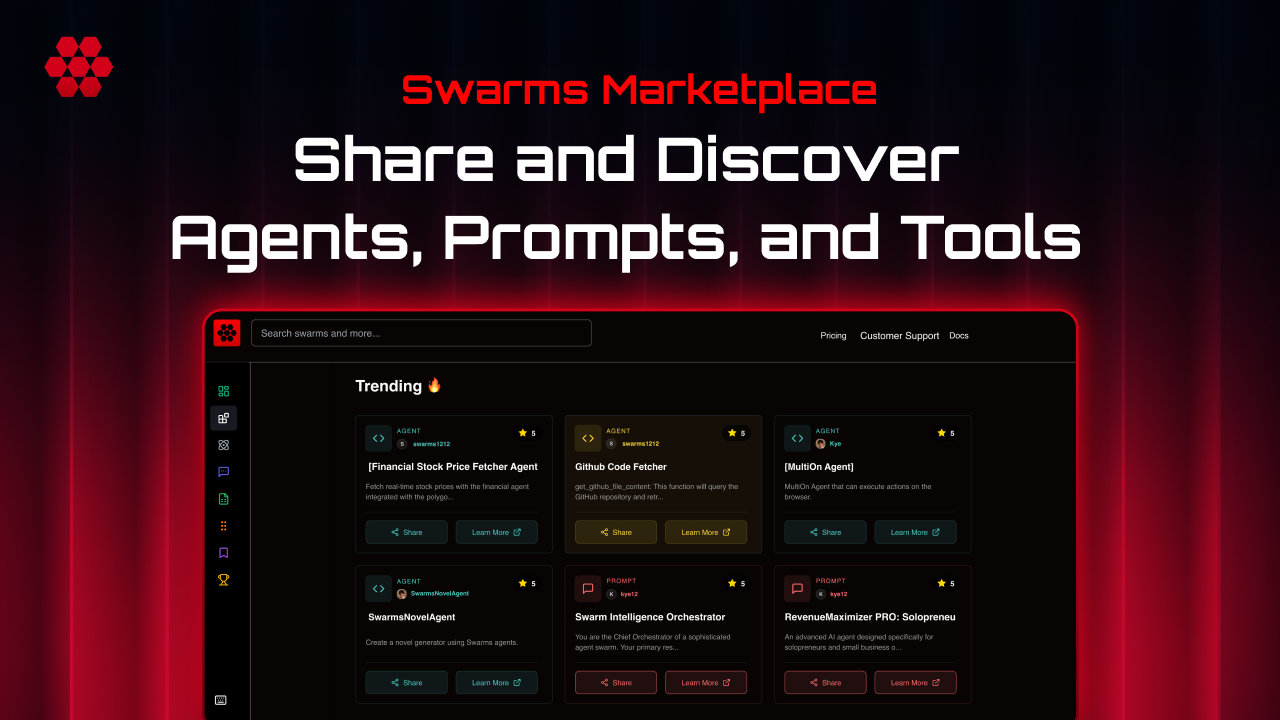
Finding the right agent in a marketplace of thousands used to mean learning our filter system. Item types, pricing models, industries, exclusions, sort orders, date ranges: seven different controls, each with its own vocabulary. Useful once you know them, but a real cost for every new visitor who just wants to answer a simple question: where are the good free trading agents?
Today we are shipping a better answer. The Swarms Marketplace registry now includes an autonomous filter search agent. You describe what you are looking for in plain English, and an AI agent reads your request, translates it into the registry's filter system, and applies every filter for you, live, while you watch.
How It Works
Next to the registry search bar you will find a new AI button. Clicking it switches the same search bar into agent mode. Instead of typing keywords, you type intent: "top free healthcare agents from this month, no x402 junk."
When you press Enter, your request is sent to an autonomous agent running on Swarms Cloud through the same Agent Completions API that powers every agent published on the platform. The agent has been given a complete map of the registry's filter system: the four product types, the five pricing models, the exclusion filters, the industry categories, the four sort orders, and the date ranges. It also knows the semantics behind them, so it understands that "cheap" means free, that "trending" implies popularity sorting over a recent window, and that "no junk" means excluding the thousands of auto-generated x402 listings.
Crucially, the agent is not guessing at vocabulary in a vacuum. Every hour, it refreshes its knowledge of the most popular tags actually attached to products in the marketplace. When you ask for "solana sniping bots," it maps your request onto search terms that genuinely exist in the catalog rather than inventing keywords that match nothing.
The agent responds with a structured set of filter instructions. Those instructions pass through strict validation on our servers, so a misbehaving model can never inject anything unexpected into the page. Then the interesting part happens: the filters are applied one at a time, with a live status line narrating each move. You see "Setting show agents," then "Setting pricing: free," then "Setting industry: healthcare," while the corresponding filter chips pop into place in the interface. The agent drives the exact same controls you would use by hand, so you can inspect its work, remove any single chip, or adjust the result manually. Nothing is hidden.
Step by Step
- Open the registry at swarms.world/platform/registry.
- Click the AI button on the right edge of the search bar. The bar switches into agent mode, marked by a double border and a sparkle icon.
- Describe what you want in a sentence. Be as casual as you like: pricing, product type, industry, recency, and quality preferences are all understood.
- Press Enter. The status line shows "Asking the agent" while your request is translated.
- Watch the filters land one by one, narrated in real time, and finish with a summary such as "Done, applied 5 filters."
- Refine with a follow-up. Click the AI button again and type "actually only paid ones." The agent remembers your previous request and the filters currently applied, so it edits the existing state instead of starting over.
- Press Escape at any time to drop back to normal keyword search.
Examples
Here is what the agent does with real requests:
"trending healthcare agents, nothing cheap" becomes agents only, healthcare industry, free products excluded, sorted by popularity over the past week.
"top free trading agents from this month, no x402 junk" becomes a keyword search for trading, agents only, free pricing, x402 listings excluded, sorted by popularity, limited to the past month.
"paid prompts for marketing" becomes prompts only, paid pricing, marketing industry.
"solana bots" becomes agents only with a keyword search for solana. Notice what the agent did not do: it did not dump the entire phrase into search. It extracted the one topical term and left everything else alone.
When Nothing Matches
The most frustrating outcome of any filtered search is an empty page. The filter search agent handles this on its own. If its chosen filters match zero products, it begins relaxing them, starting with the least essential: first the date window widens to all time, then the industry constraint drops, then the keyword. Each step is narrated in the status line, "No matches, widening to all time," so you always know what changed and why. The moment results appear, it stops. Your intent-carrying filters, like pricing and exclusions, are never touched. What used to be a dead end is now a graceful landing.
A More Autonomous Marketplace
This feature matters beyond convenience. The Swarms Marketplace is the home of the agent economy: thousands of agents, prompts, and tools published, traded, and deployed by developers and by other agents. It has always been our position that the infrastructure of that economy should itself be agentic.
Autonomous filter search is a small but honest example of that principle. The agent that interprets your search is a standard Swarms Cloud agent, built on the same public Agent Completions API any developer can call today, with a system prompt, structured output, and server-side validation. We did not build a bespoke ML pipeline; we published an agent onto our own infrastructure and gave it a job in our own product. Discovery in the marketplace is now handled by the very kind of worker the marketplace sells.
It also compounds with the rest of the platform. Creators tag their products at launch, the agent learns those tags hourly, and searches begin matching the catalog's real vocabulary. Every improvement to the registry's filters becomes, automatically, an improvement to what you can ask for in plain English.
Autonomous filter search is live now for every registry visitor, free, with no configuration required. Open the registry, click the AI button, and tell the marketplace what you want. An agent will take it from there.
Links and Resources